Download Markdown
Best for copying commands, snippets, and config into notes, prompts, or docs
Download MarkdownTools
Print-ready cheat sheet for Chrome DevTools, organized for fast lookup, study, and desk-side use
Sample
Right-click -> Inspect | Open Elements panel for element |
Double-click tag/attribute | Edit HTML inline |
Delete key | Delete selected node |
Ctrl+Z | Undo DOM change |
H key | Toggle visibility of selected element |
Drag node | Move element in DOM tree |
element.style {} | Add inline styles to element |
Click property value | Edit CSS value live |
Checkbox next to rule | Toggle CSS property on/off |
:hov button | Force element pseudo-states (:hover, :focus) |
.cls button | Add/remove CSS classes |
Color swatch | Open color picker |
Computed tab | View final computed CSS values |
Download the full cheat sheet for all sections, formatted for print
Download PDFDownloads
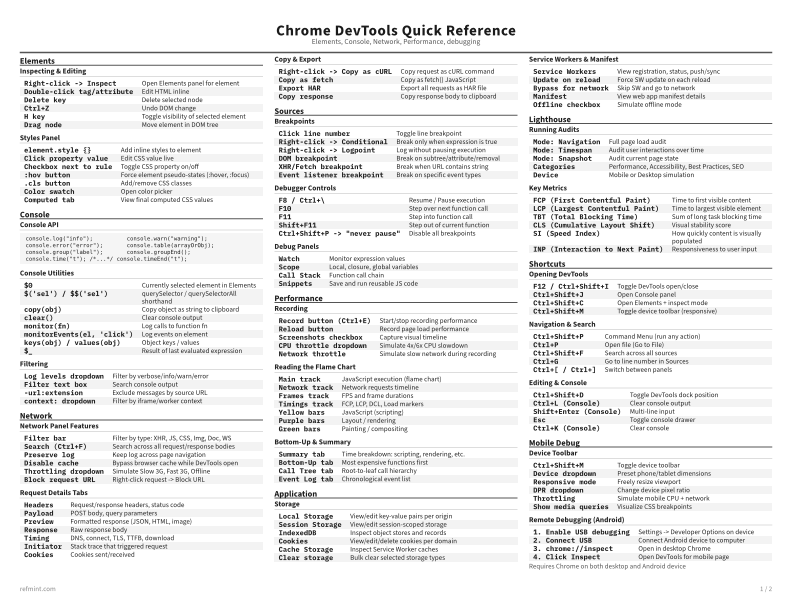
Recommended
B&W, ink-efficient. The default for laser printers and photocopies
Best for Printouts and desk-side reference
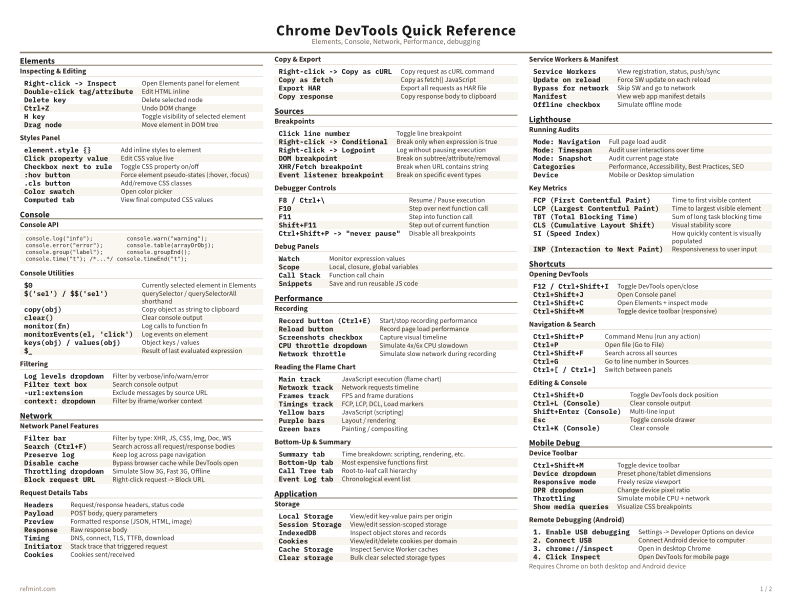
Warm color accents for on-screen reading or color printers
Best for Screen reading or color printers
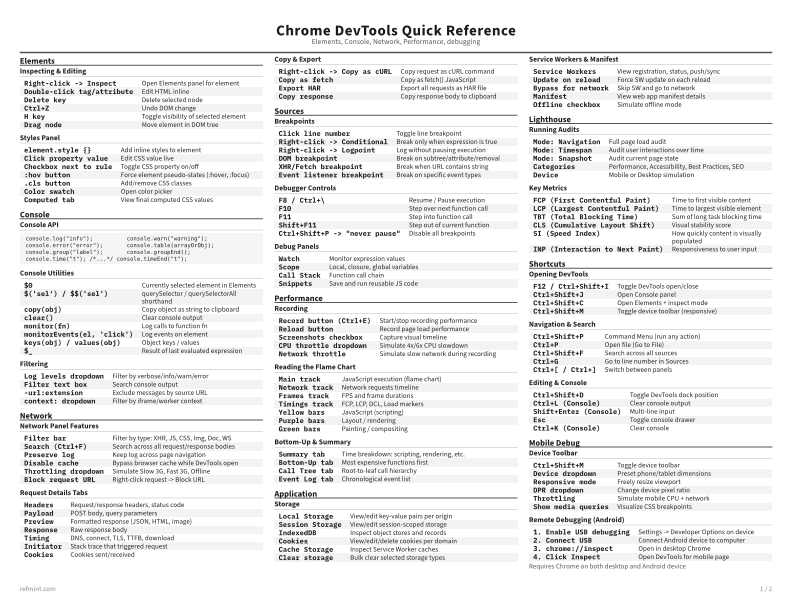
Maximum density, 4-column layout. Everything on one page
Best for Fast scanning and minimum paper use
Text formats
Download Markdown
Best for copying commands, snippets, and config into notes, prompts, or docs
Download MarkdownPreview
The web preview is for quick browsing. The PDF remains the authoritative print artifact
Open in Browser