AI
OpenAI Codex CLI Cheat Sheet
Print-ready cheat sheet for OpenAI Codex CLI, organized for fast lookup, study, and desk-side use
Sample
What's in this cheat sheet
Install
npm install -g @openai/codex
Authentication
export OPENAI_API_KEY="sk-..."
Set in shell profile or .env file
First Run
codex "explain this project"
codex "add input validation to app.py"
Download the full cheat sheet for all sections, formatted for print
Download MarkdownQuick Map
Choose the format by how you work
- Markdown Best when you want commands, files, and config snippets you can paste immediately
- Reference Card Best when you want one-page scanning while coding, debugging, or reviewing docs
- Standard / Color Best when you want fuller reading, printouts, or teaching material
Downloads
Pick a PDF treatment fast
-
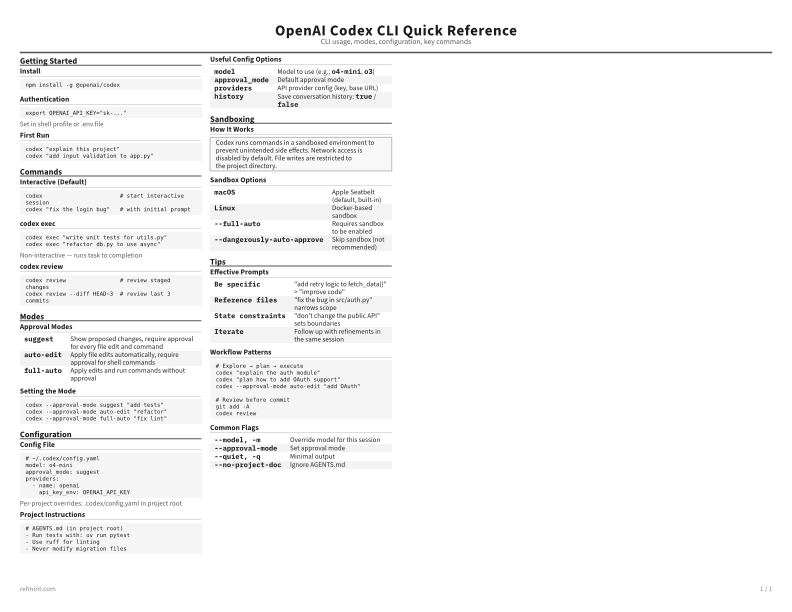
Standard
B&W, ink-efficient. The default for laser printers and photocopies
Best for Printouts, annotation, and full reading
-
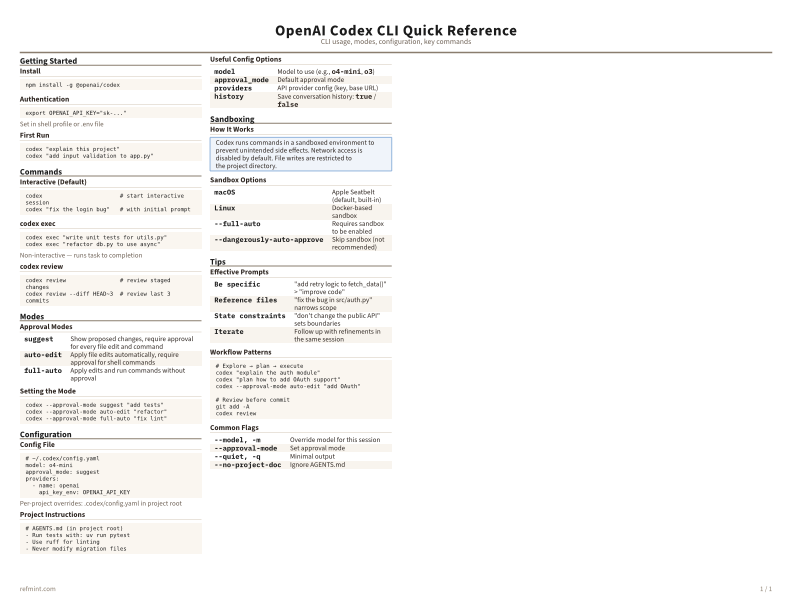
Color
Warm color accents for on-screen reading or color printers
Best for Screen reading, demos, and teaching
-
Recommended
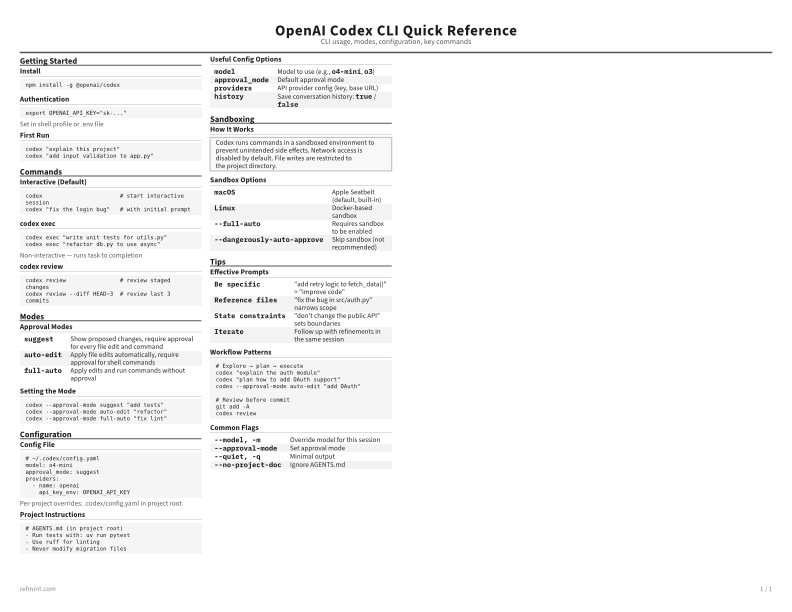
Reference Card
Maximum density, 4-column layout. Everything on one page
Best for One-page scanning while you work
Preview
Inspect the structure online before you print
The web preview is for quick browsing. The PDF remains the authoritative print artifact